TikTok is the world's most popular short-video platform, but it doesn't offer a built-in way to save videos without a watermark. SnapTik solves that — for free, on any device, with no installation needed.

Method 1: Download TikTok Videos Using SnapTik
The fastest way to save a TikTok video without the watermark is to use SnapTik directly in your browser. Follow these steps:
- Open TikTok on your phone or browser and find the video you want.
- Tap the Share button (the arrow icon), then select Copy Link.
- Paste the link into the box at the top of this page.
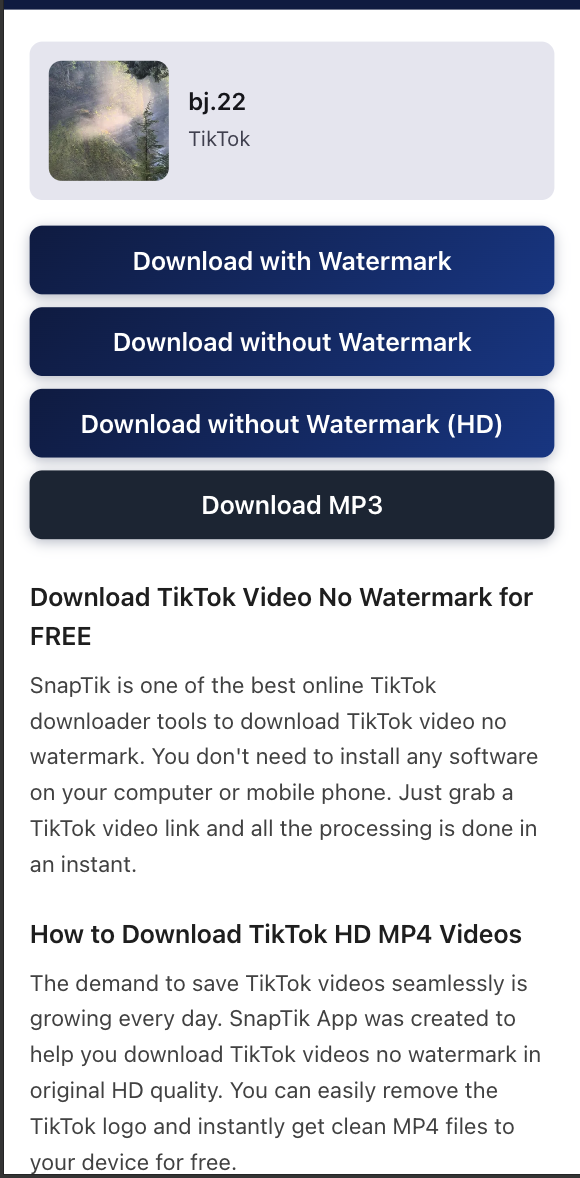
- Click the Download button and choose your preferred quality — HD, standard, or MP3.
- The file will be saved directly to your device without any watermark.

Method 2: Download TikTok Videos on Mobile (Android & iPhone)
SnapTik works just as well on mobile as on desktop. Here's how to save a TikTok video on your phone:
- Open the TikTok app and tap the Share icon on the video.
- Tap Copy Link to copy the video URL.
- Open your phone's browser (Chrome, Safari, etc.) and go to snaptik.app.
- Paste the link and tap Download.
- On iPhone, tap the download icon in Safari and select Download Linked File. On Android, the file saves automatically to your Downloads folder.
Method 3: Extract TikTok Audio as MP3
If you only need the audio from a TikTok video — a trending sound, background music, or voiceover — SnapTik can extract it as an MP3 file instantly:
- Copy the TikTok video link using the Share → Copy Link option.
- Paste it into SnapTik and click Download.
- Look for the MP3 download option in the results and tap it.
- The audio file will download to your device at the highest available bitrate.
Download TikTok Videos on Any Device
SnapTik works on all devices — Android, iPhone, tablets, and desktop browsers. No app installation required. Just paste your TikTok link and get a clean, watermark-free MP4 file in seconds.
Why SnapTik is the Best TikTok Downloader
Unlike other tools, SnapTik retrieves the original video file directly from TikTok's servers. This means you get the highest available quality without any watermark overlay. No registration, no limits, completely free.
Step-by-step guide
Complete guide to download TikTok without watermark on Android, iPhone, and PC
This guide expands the process beyond the basic three steps: copy link, paste it into SnapTik, then choose HD MP4 or MP3. It covers iOS Safari, Android browsers, desktop, slideshows, audio, and common issues when a video is private or restricted.
Search intent
how to download TikTok videos without watermark, save TikTok on iPhone, download TikTok on Android, convert TikTok to MP3, download TikTok slideshow.
Practical details
On iPhone, check Files and Safari downloads. On Android, check the Downloads folder or gallery. On desktop, rename the MP4 after download to keep your archive organized.
Extra coverage
The guide connects video, photo, slideshow, and audio workflows so the pages do not read as duplicates and users know which tool fits each TikTok format.
Related Tools
After reading the guide, you can switch to TikTok MP3 Downloader for audio or TikTok Photo Downloader for image-heavy posts. That keeps the guide focused while still covering the most common TikTok download intent.